
On a Skynamo order that is processed and emailed, the following details will appear on the order by default, even if you do not have these details: Phone no; Cell no; E-mail; VAT Registration Number; and Address.
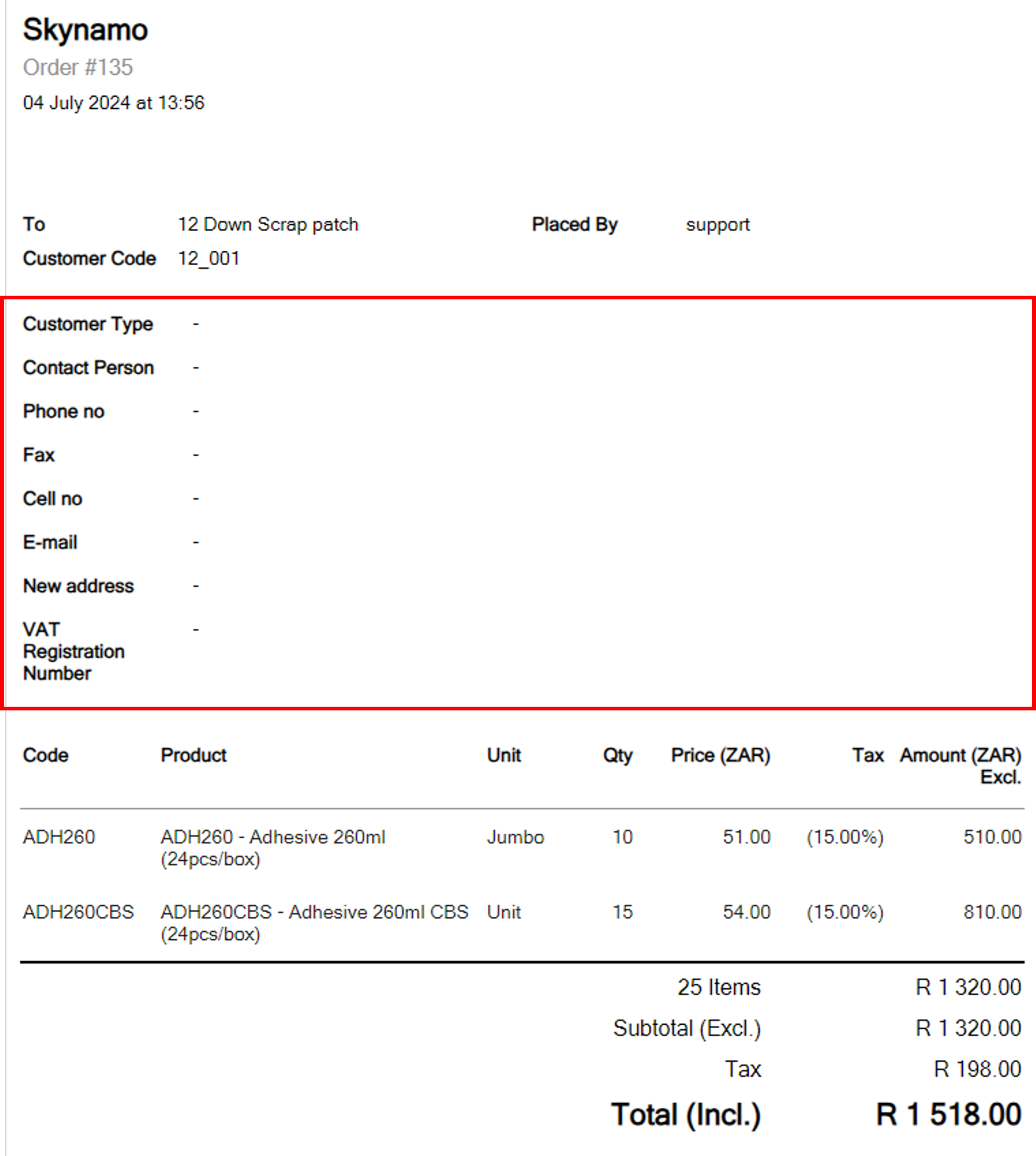
If you want to remove this information to make the order form shorter, do the following:
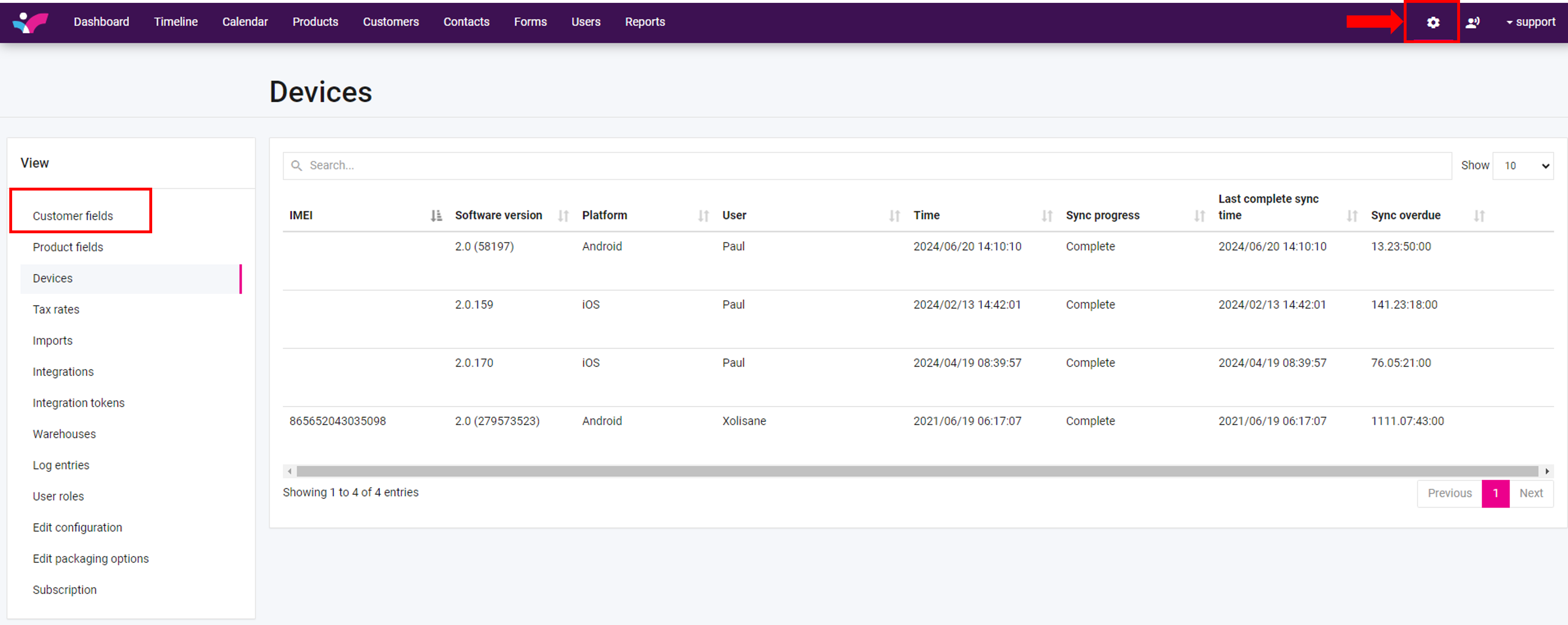
- From the home page of your instance, go to settings and select “Customer Fields”.
- Scroll down to “Contact Information” and select the field that you want to remove from the order form (Phone no) for the example below. You will notice that the option “Add this field on Order emails” under “Add to emails” is selected.
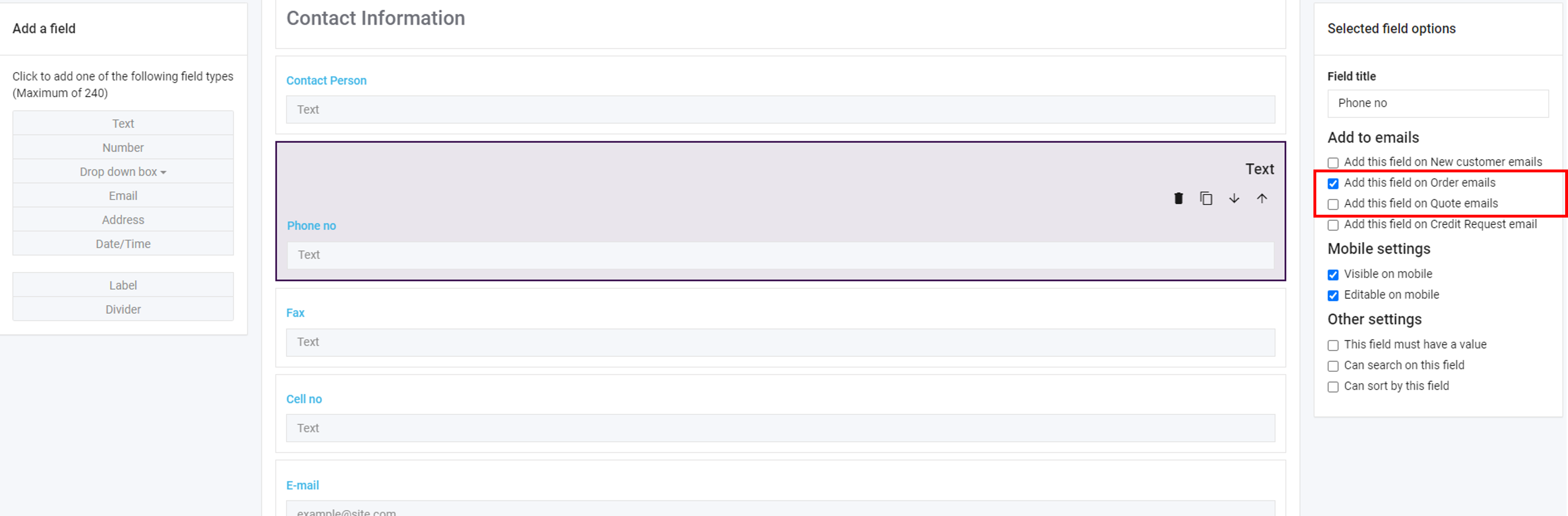
Untick this box. This will remove the field from the order email.
Do this for each of the fields that you want to remove from the order email. The next time an order will be processed and emailed, it will not show the fields that you have unticked.
If you are experiencing any issues, please contact our support team by mailing us at support@skynamo.com.