
This article serves a simplified explanation on how to add a customer or product field to Skynamo insights. For more information and an in depth explanation, read the following articles:
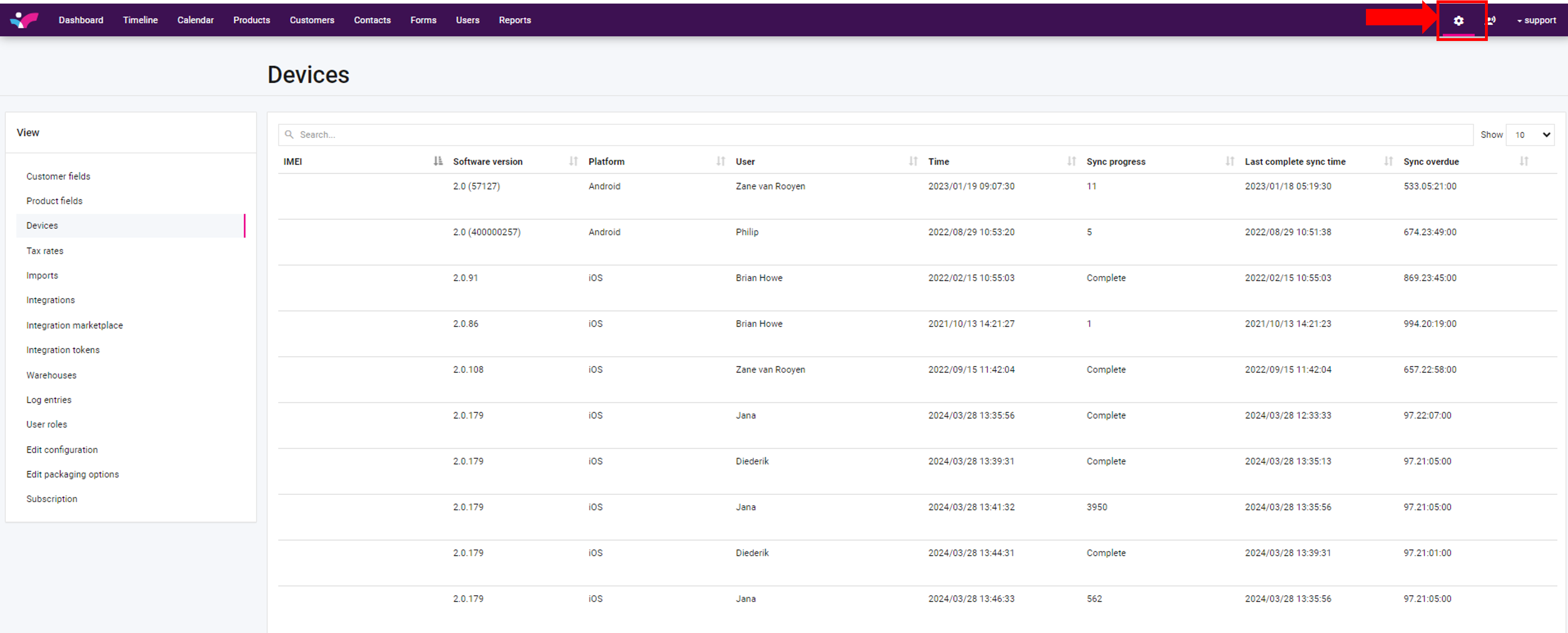
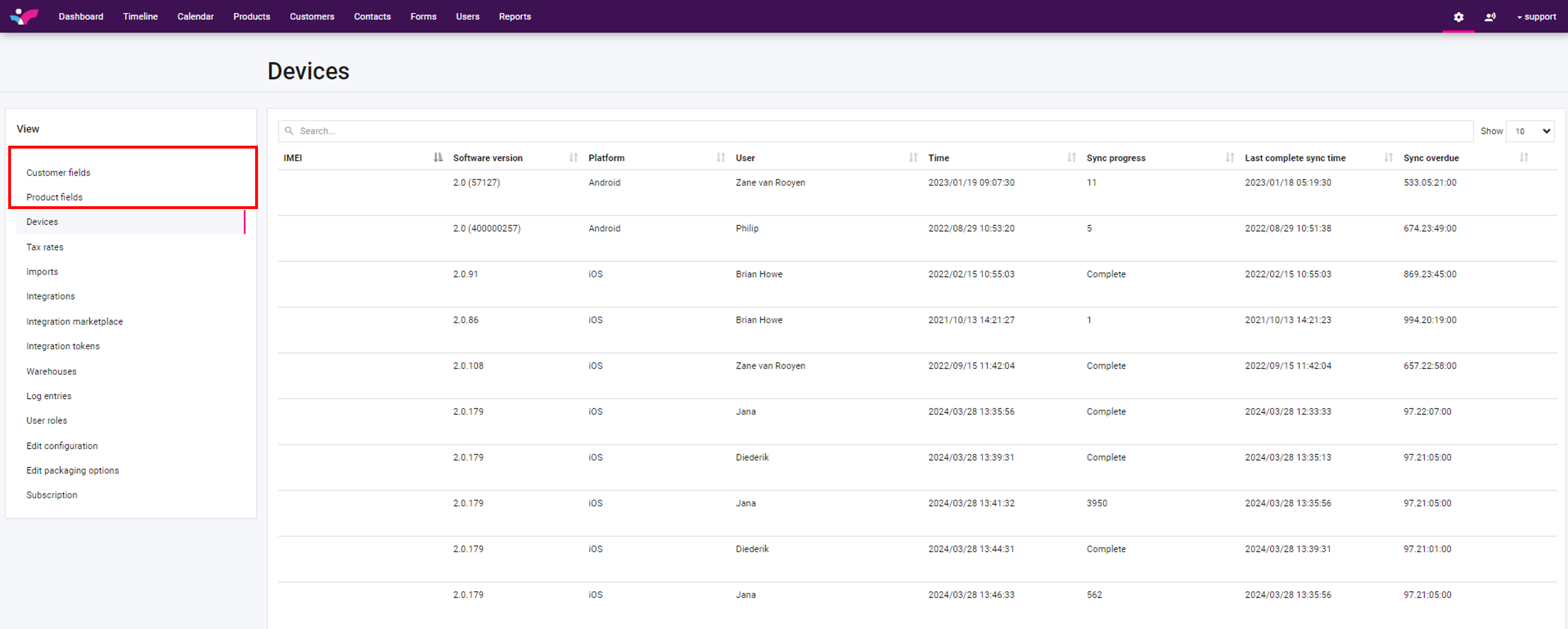
Click on settings and then select either "customer fields" or "product fields":
On the next page you will be able to add a new customer field:
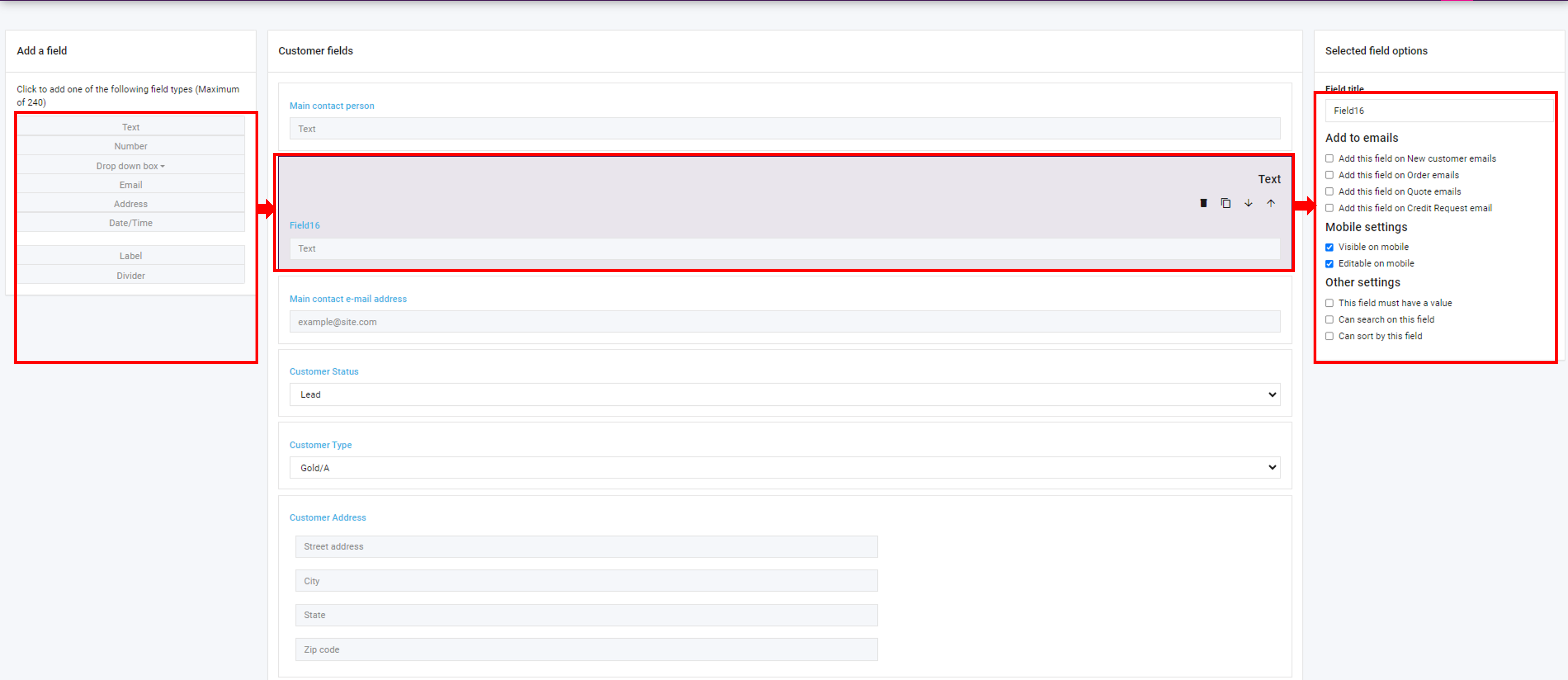
1. Select the type of customer field to add.
2. The new field will be given a name such as "FieldX".
3. On the right hand side you will find options to edit the fields details.
Once complete, click save at the bottom of the page:
Navigate to Skynamo > customers > overview and you will see the newly added details under your "details" section of the page:
Voila! That's it. As mentioned above, if you require more information, follow the links I have included.
If you are experiencing any issues, please contact our support team by mailing us at support@skynamo.com.