
This article will explain how to add these frequencies in bulk, instead of having to edit an individual customers information. Follow the steps set out to do so.
Step 1 - Download the visit frequencies template
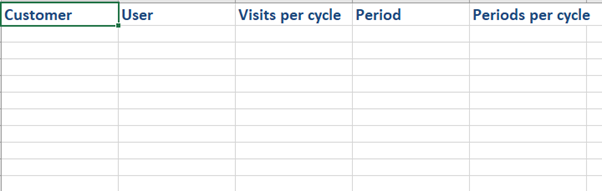
Start with the excel spreadsheet, that you can download from our templates:
https://skynamo.freshdesk.com/a/solutions/articles/201000054634
Step 2 - Populate the template with the correct values
You will add the customer code of the customer you want to add the frequency for, as well as your username on Skynamo.
You will then choose how often you want to visit the customer per cycle. The period column is where you decide if you are setting up a weekly or monthly cycle and can only contain the values "Week" or "Month". The periods per cycle is how many weeks or months you want to plan for. To use an example, if I want to see a customer every 2 months my Period will be Month and my Periods per cycle will be 2.
The visits per cycle will be how often I want to see the customer in the set week or month. If I want to see a customer twice a month, my Period will be Month, my Periods per cycle will be 1, and my Visits per cycle will be 2.
This is the example below:

Step 3 - Import the Excel spreadsheet from your instance
Once you have set up your frequencies for all the clients, a Manager or Account manager can import this to Skynamo. To see how imports of files are done on Skynamo, click here.
If you are experiencing any issues, please contact our support team by mailing us at support@skynamo.com.