
The subscription page can be accessed by going to app.skynamo.me and entering your email address and password. If you do not remember your password, you can reset it by clicking on "Get a new password" on the password page
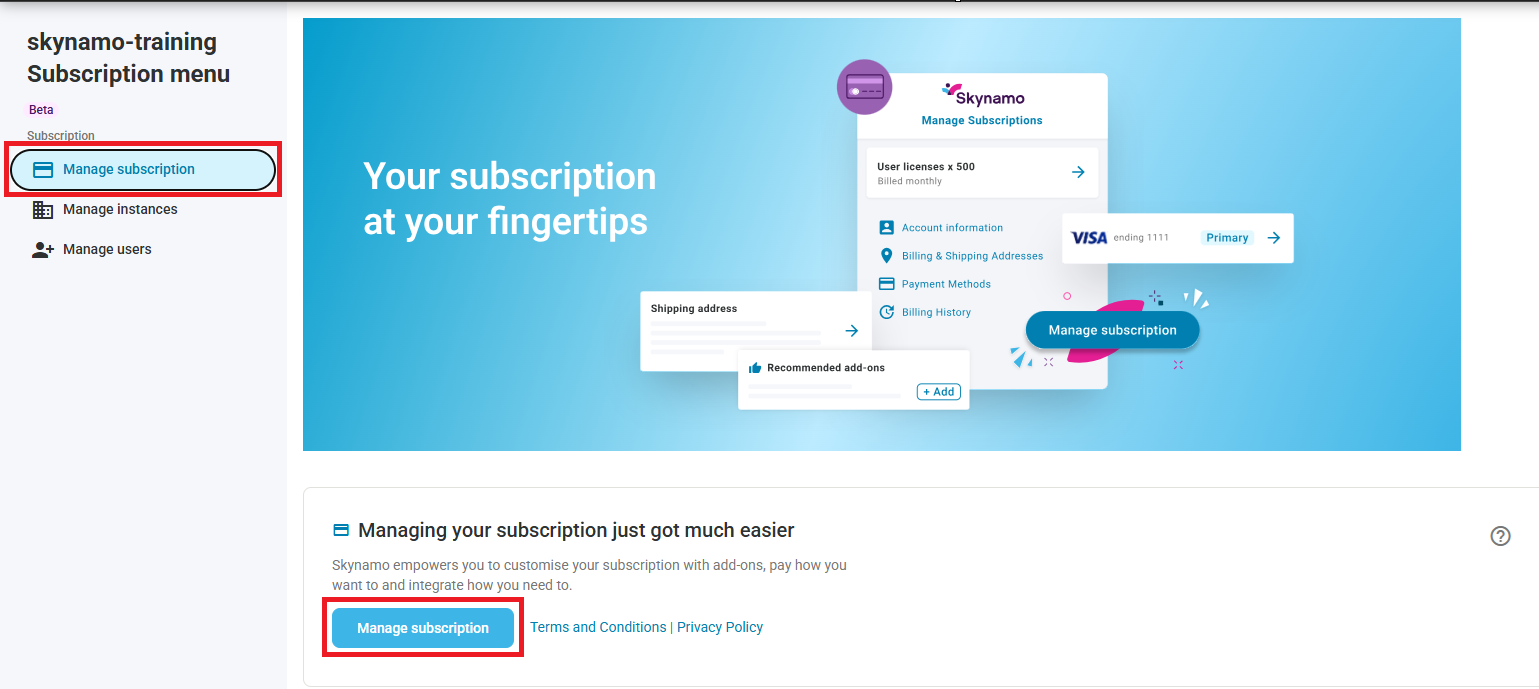
- Click on Manage Subscription -> Manage Subscription:
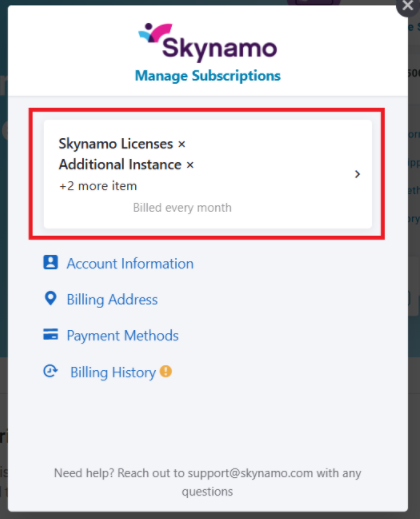
- Click on the white block containing your Subscription information:
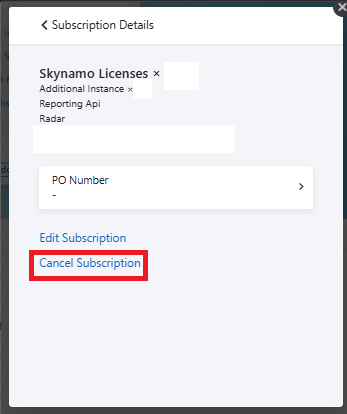
- Click on Cancel Subscription:
Please note, should you wish to retain any data it needs to be downloaded before the end of your subscription.
We will keep a backup of data for 3 months after the end of a subscription, but thereafter it will automatically be permanently deleted. Should you wish to recover your data in this 3 month period, you will need to reactivate your account by signing up with Skynamo.
Other relevant links:
Subscription management: Subscription management