
1. On your Skynamo web interface, navigate to the Calendar tab:

2. Click on the task/scheduled visit that you wish to delete
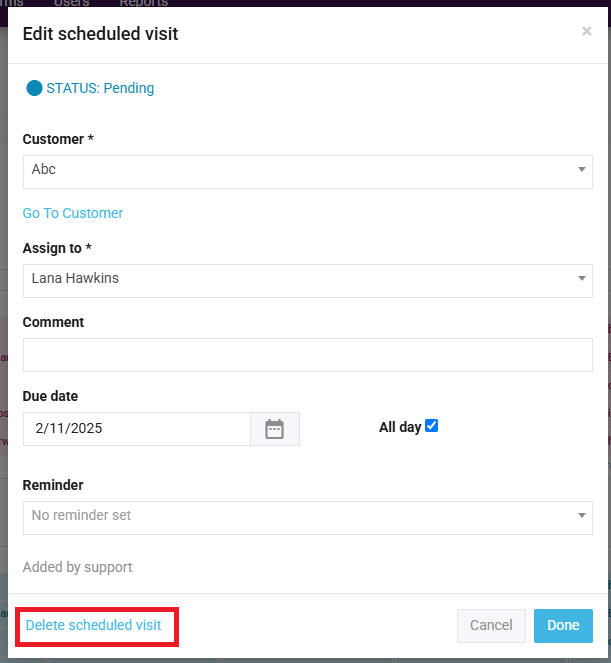
3. Click on the delete button at the bottom-left:
2. Click on the task/scheduled visit that you wish to delete
3. Click on the delete button at the bottom-left: