
1. On the Skynamo web interface, click on the Settings icon in the top-right corner of your screen:

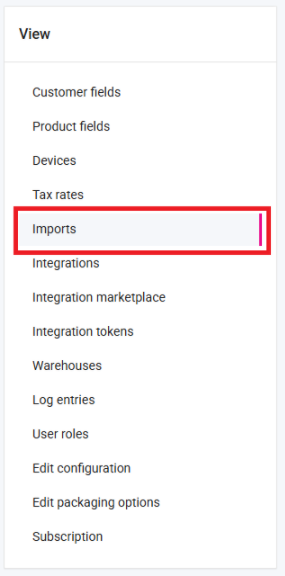
2. Click on Imports on the left-hand side:
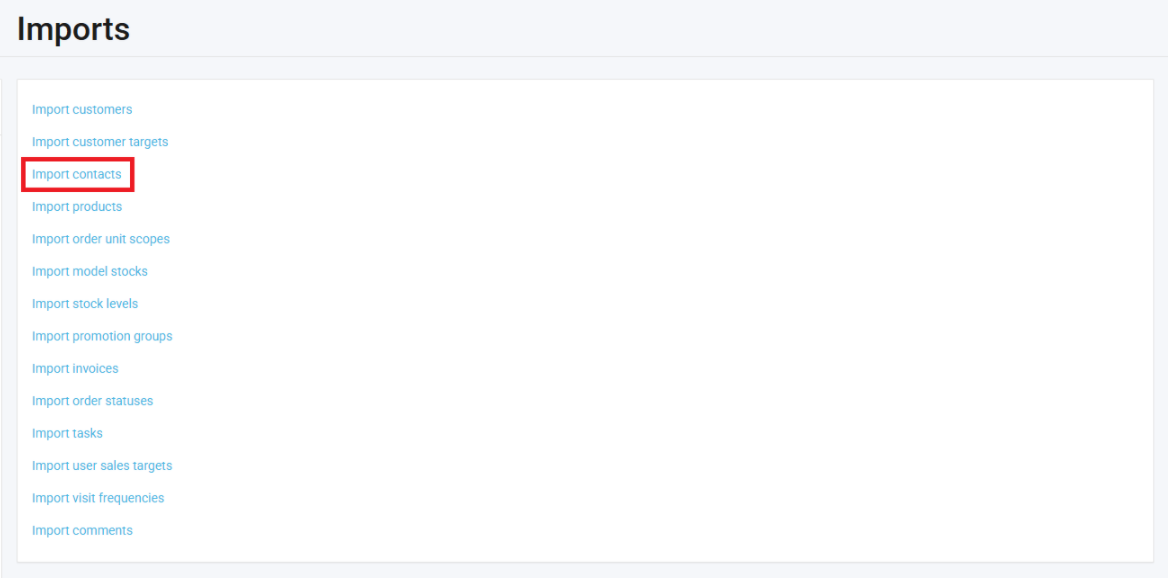
3. Click on Import contacts:
4. Click on Download all (.xlsx):
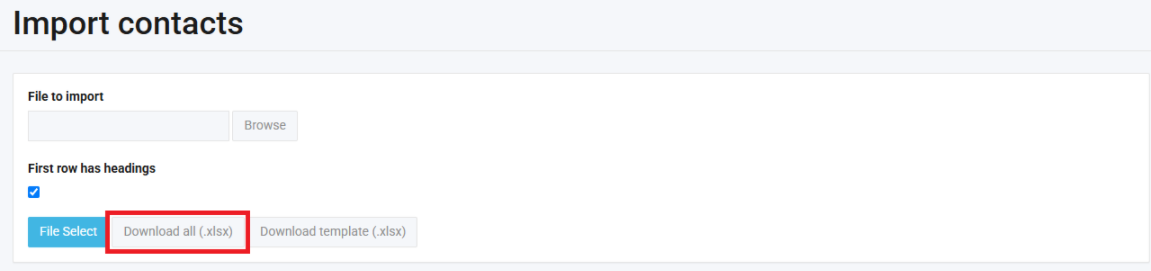
The contacts will then be downloaded to your PC in Excel format.