
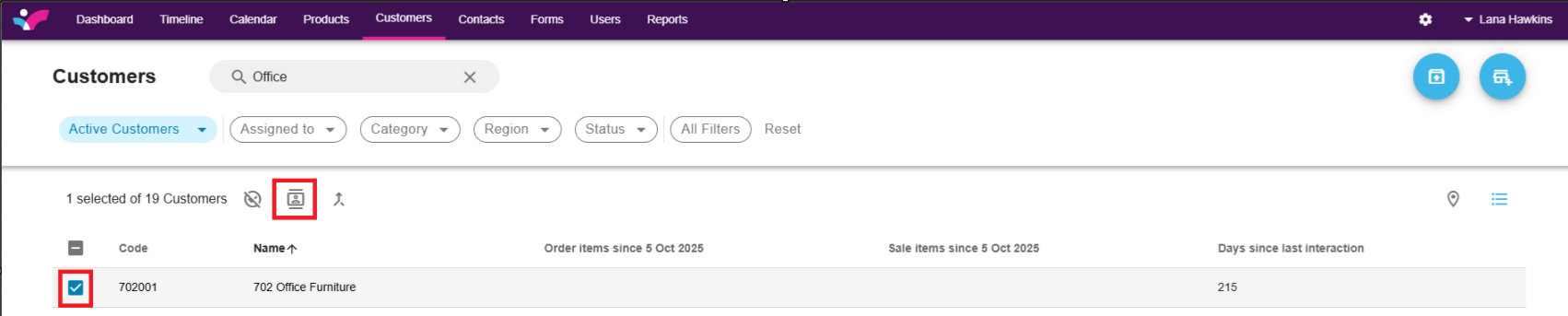
1. Click on the customer Tab.

2. Search for the customer you wish to assign:

3. Tick the box next to the customer and click on the Assign button:
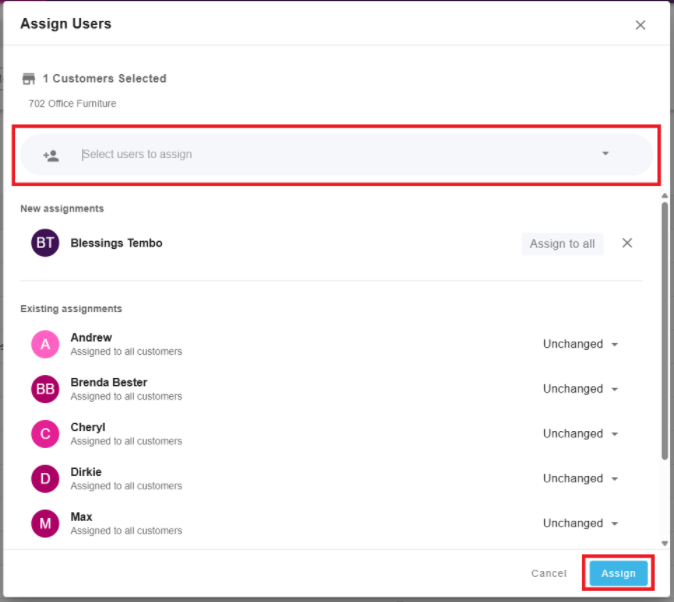
4. Choose the user you wish to assign and click Assign at the bottom-right:
1. Click on the customer Tab.
2. Search for the customer you wish to assign:
3. Tick the box next to the customer and click on the Assign button:
4. Choose the user you wish to assign and click Assign at the bottom-right: