
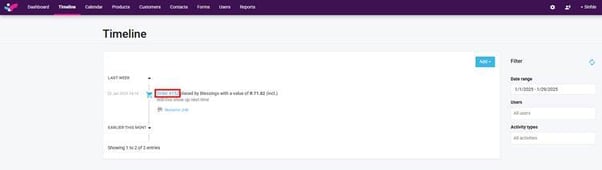
1. Click on the quote/order number in the timeline.
2. This will open the customer's quote/order to view. Click on the blue resend email button.

3. A confirmation pop up message confirming email has been sent is displayed.
1. Click on the quote/order number in the timeline.
2. This will open the customer's quote/order to view. Click on the blue resend email button.
3. A confirmation pop up message confirming email has been sent is displayed.