
1. In Google Chrome, open this link: https://academy.skynamo.com/login/index.php
6. You can now log into the Skynamo Academy using your new password: https://academy.skynamo.com/login/index.php
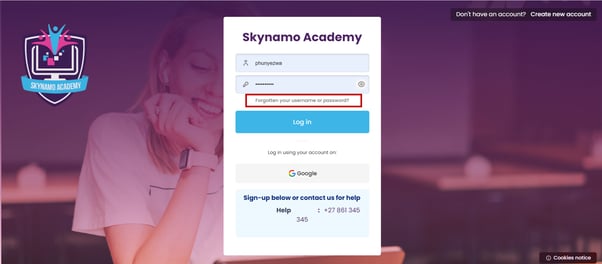
2. Click on Forgotten your username or password?:
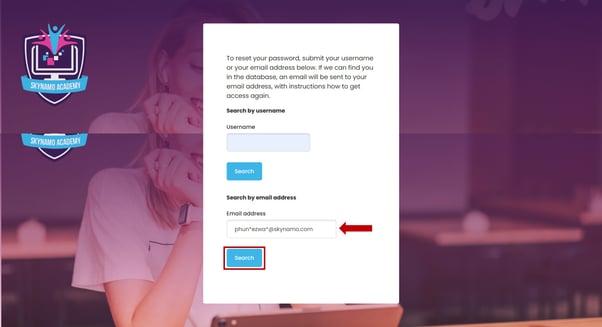
3. Enter your email address and click "Search."
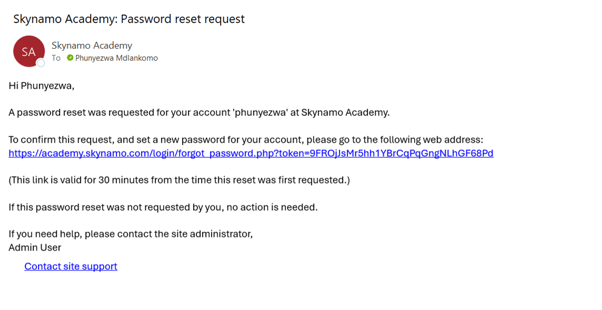
4. Check your emails for a password reset message. Copy the reset link and paste it into Chrome:
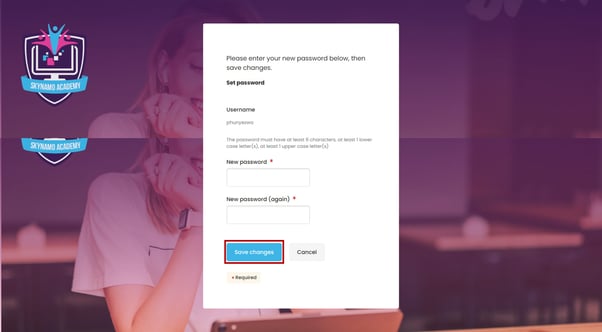
5. Next, select a new password that meets the requirements:
6. You can now log into the Skynamo Academy using your new password: https://academy.skynamo.com/login/index.php