
It may happen that upon logging in to Skynamo on your mobile app, the following error message appears:
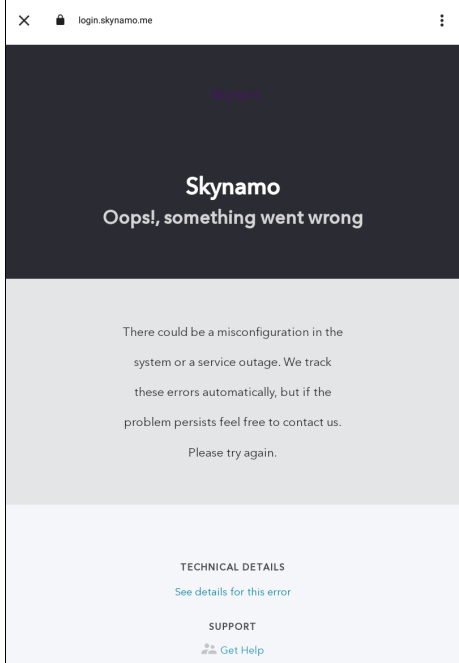
This may be caused because your cookies are disabled or because your "On-device site data" has been disabled. To resolve this issue, please enable your cookies and site data by following the steps below.
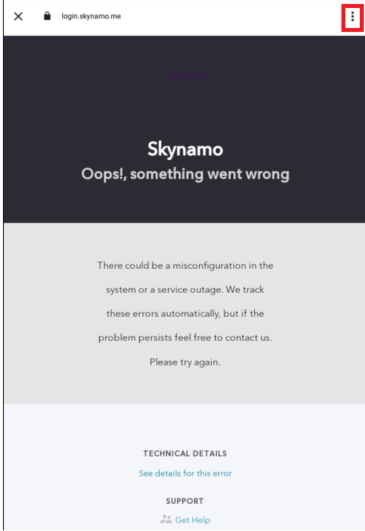
- Click on the three dots at the top-right corner of your screen:
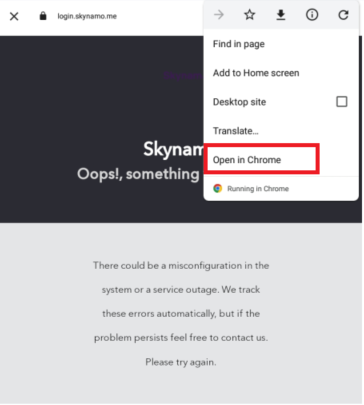
- Click on Open in chrome:
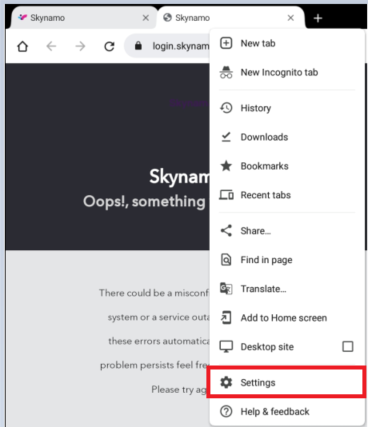
- This will open the page in Chrome. Click on the three dots in the top-right corner of your screen once more:

- Click on Settings:
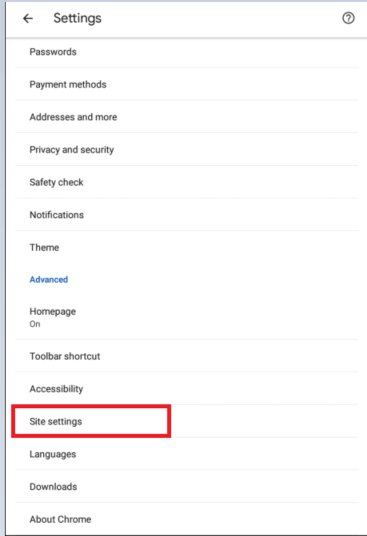
- Scroll down to Site settings and then click on it:
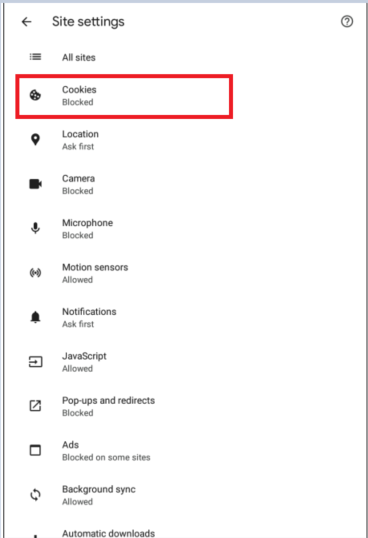
- Click on Cookies:
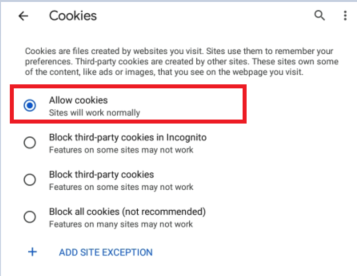
- Click on Allow cookies to enable them:
- Go one back and click on "On-device site data":
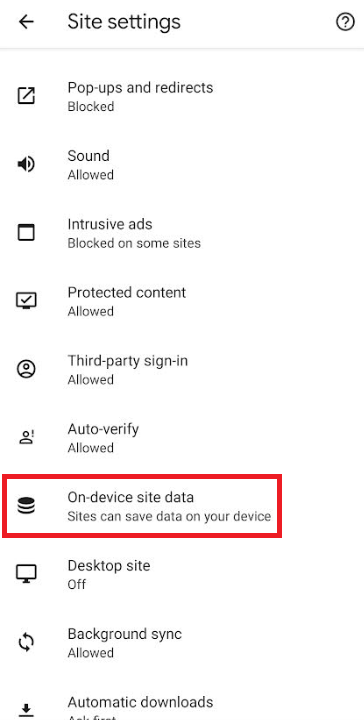
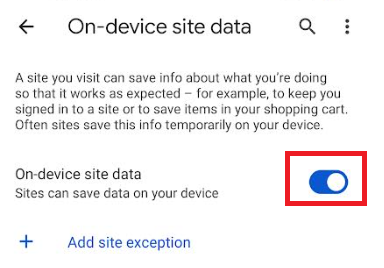
- Make sure it is enabled:
You can then exit this page and log in to your Skynamo mobile app once more.