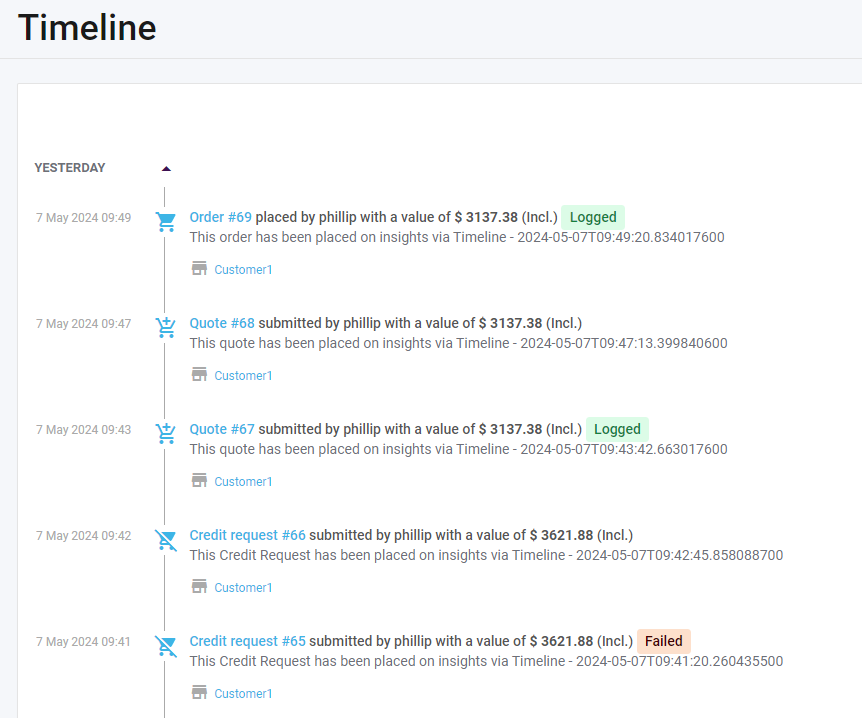
Order Statuses allows statuses of quotes, orders and credit-requests to be displayed on the Skynamo timeline. This allows users to know the exact status of their request in the ERP system.
Skynamo has 3 Order Statuses:
Logged: Indicating that the quote/order/credit-request has successfully been received by the ERP
Failed: Indicating that the quote/order/credit-request has not been received by the ERP.
N/A: Not Applicable will be shown if a customer does not make use of Order Statuses. (Only displayed on the Reports and not on the Timelines)
See screenshot below on how order statuses are displayed on timeline: